 Sozdai
Product Analysis Results
After import, the AI automatically builds a product description — here's what the results contain and how they feed into your card.
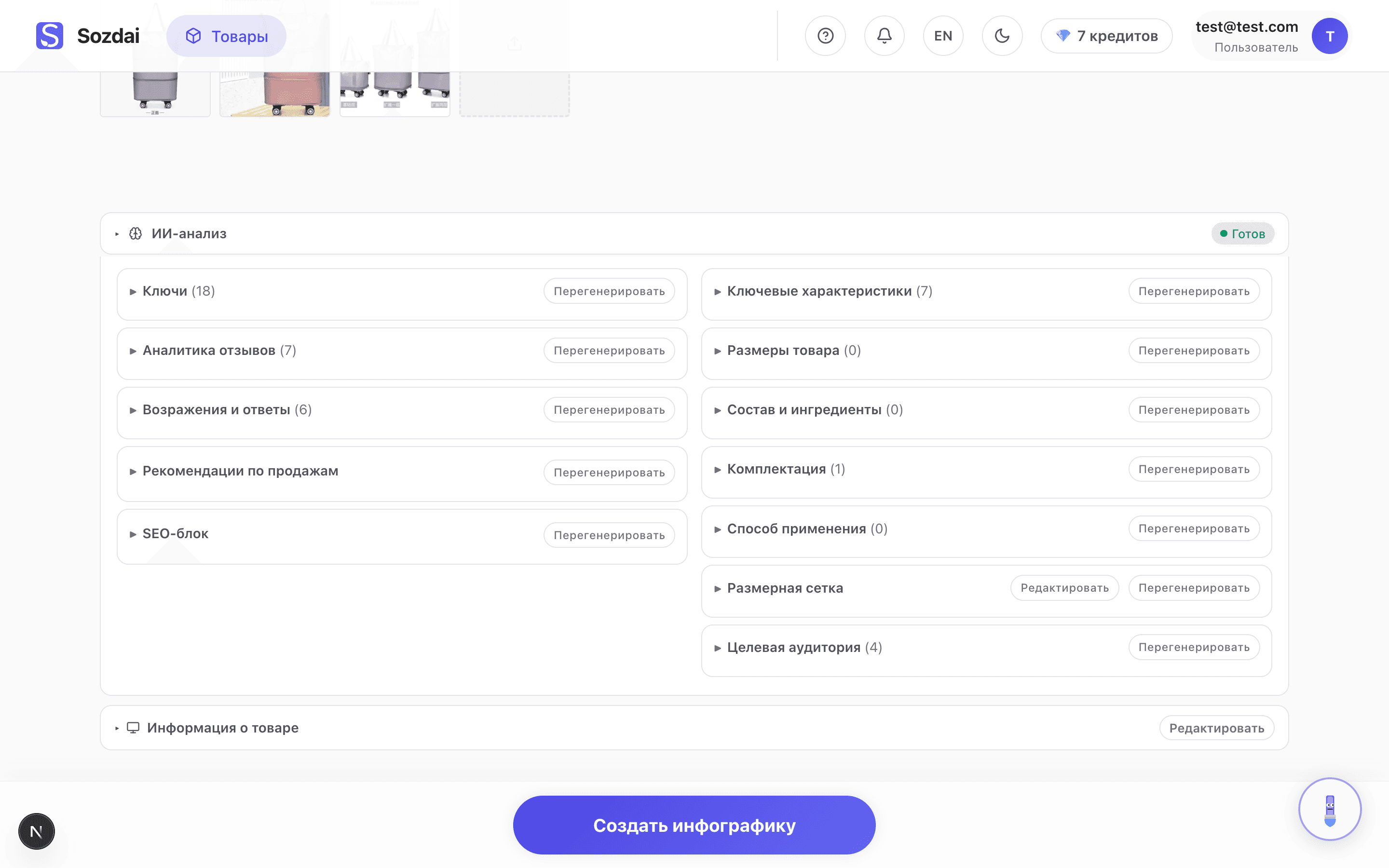
Overview of the analysis
The analysis page is made of blocks; the two main ones are "Bullets" (below in this article — key statements) and "Key characteristics". The rest is the extended analysis ("Review analytics", "Objections and answers", "Sales recommendations", "SEO block", "Target audience" and more). Both main blocks are used directly when generating a card.
The card headline doesn't appear here — it shows up later, on the third wizard step "Text". There you'll have three optional lines: an overline, a main headline, and a subheading. For more on that step, see Step-by-step Card Generation.
Key statements
This is a list of product properties expressed as short phrases. The AI analyzes the uploaded photos, compares the product against similar items in its knowledge base, and highlights what's characteristic of this specific item.
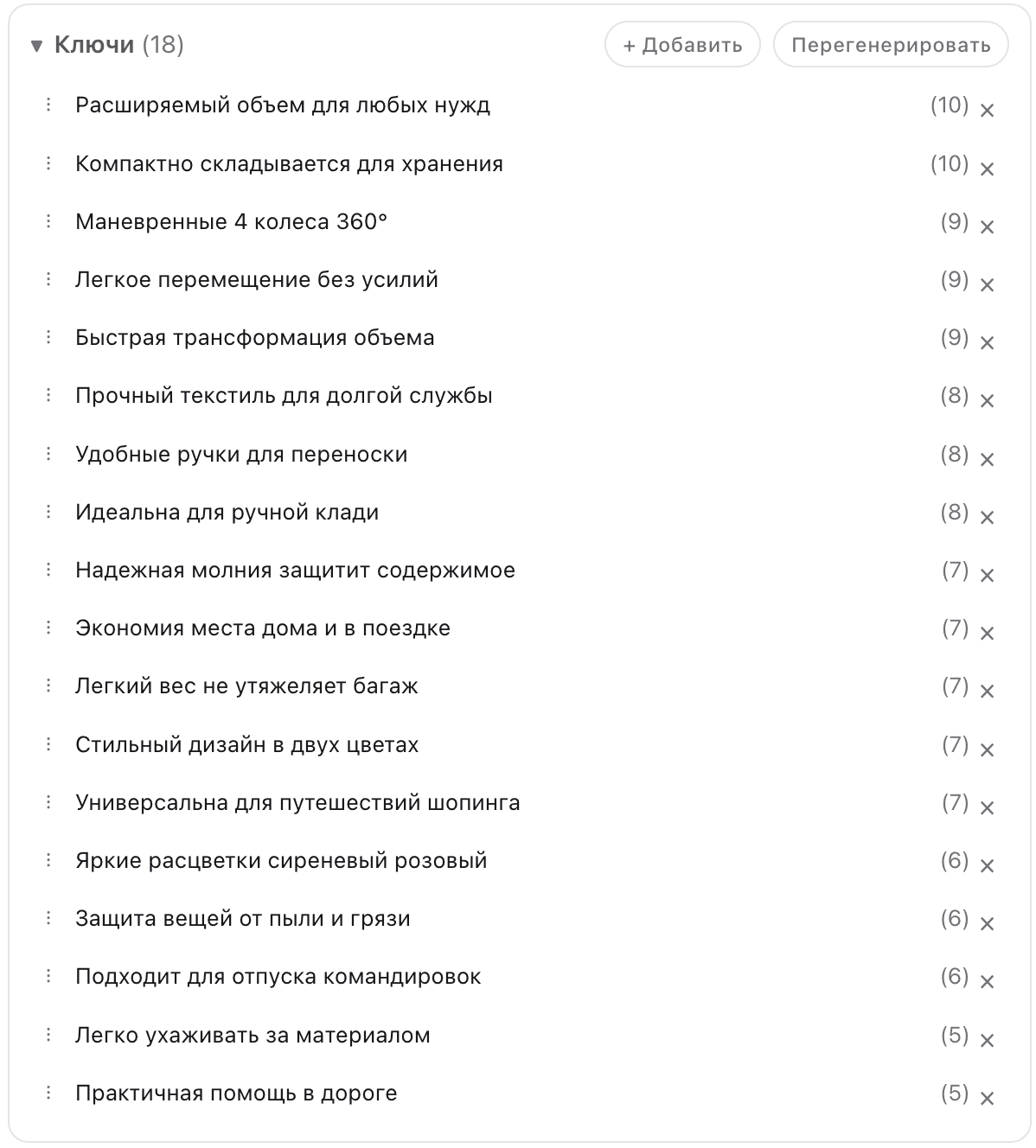
Statements come in two types: exclusive (specific to this product — "diamond texture", "double stitching along the perimeter") and common (typical for the whole category — "soft material", "hand wash only"). The difference is visible visually: exclusive statements are usually highlighted. At the "Text" step you'll pick 1-5 statements to feature on the card — choose the most precise and distinctive ones.
The more accurate statements in the analysis, the better the AI can place emphasis during generation. If the list looks incomplete or off — you can edit or add your own (see Editing Analysis).
Specifications
The second section contains key-value pairs: size, color, material, weight, country of origin, and other parameters. These are used by templates that display specifications directly on the card.
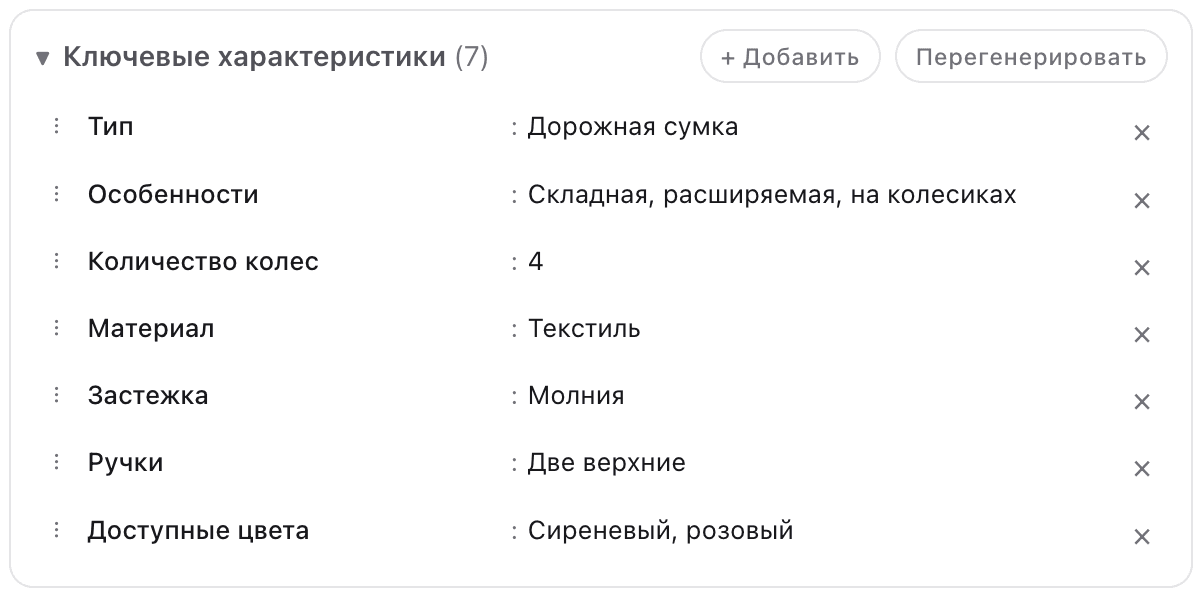
The AI pulls values from the photos and, when a supplier URL was used for import, from the supplier's description. Some values may be approximate — for instance, size could be estimated, or material identified visually rather than from a label. All of this is easy to correct manually at no additional cost.
For a service
A service or rental gets a different, shorter analysis — six blocks assembled in one pass, with no extended-analysis wait:
- “Key statements” — the provider’s terms and advantages for the photo badges: “no prepayment”, “free visit and estimate”, “2-year warranty”.
- “How we work” — the steps from request to hand-over.
- “Us vs a typical provider” — short rows for the comparison template.
- “Target audience” — who orders and when.
- “Promotion tips” — how to present this particular listing: a title matching search queries, the first photo, price, response speed, when paid promotion pays off.
- “SEO block” — queries people search the service by and phrases for the listing text.
A service has no specifications, objections, reviews or product-only blocks. The AI infers the work steps and the comparison from the description — replace them with your real data, it’s free (on the phone “Key statements”, “How we work” and “Us vs a typical provider” are editable, the rest can be regenerated).
If you want to edit or add to the analysis — see Editing Analysis. When everything looks good, move on to creating a card: Step-by-step Card Generation.